To access the shares on the VA from a Windows 10 machine you will first need to change the following settings:
-
Allow windows to use SMB v1 by running the following command via Powershell:
Enable-WindowsOptionalFeature -Online -FeatureName smb1protocol -
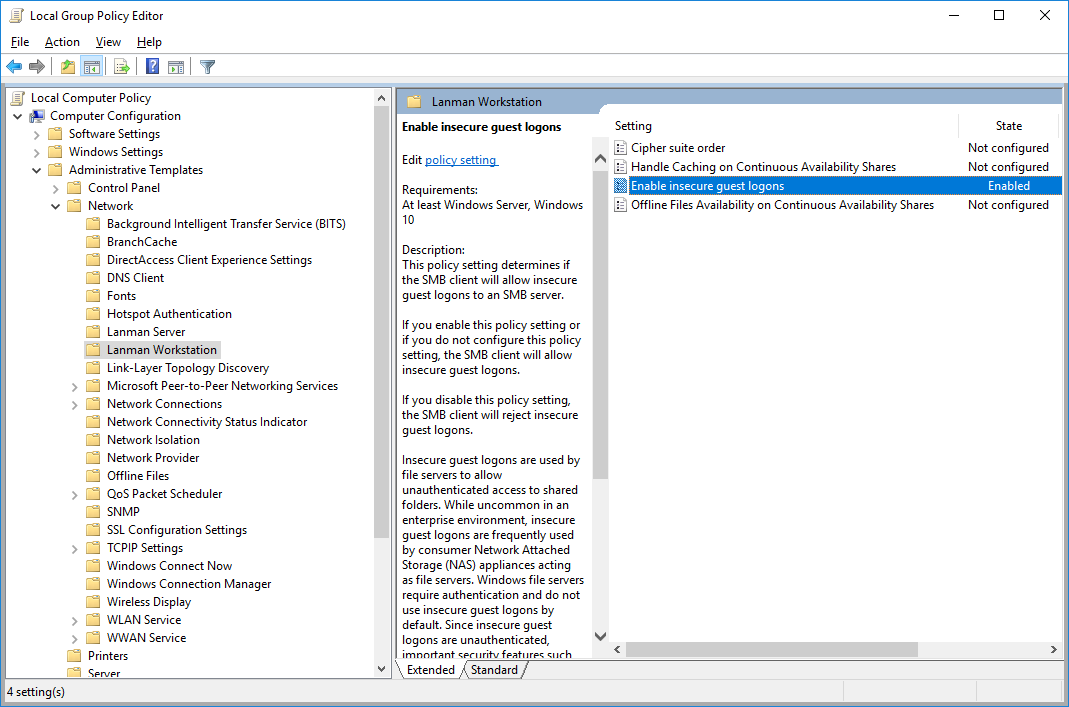
Allow Windows guest access, this is achieved by changing the Group Policy settings:
Enable insecure guest logons in SMB2 and SMB3 for Windows client and Windows Server | Microsoft LearnComputer configuration\administrative templates\network\Lanman Workstation
“Enable insecure guest logons”