Introduced in version 5.2.1, recovery assurance allows you to automatically recover new (or existing) backups to the appliance itself. Utilising KVM, the appliance can automatically recover new backups to a virtual machine inside a clean room to test for recoverability.
To enable recovery assurance for your backup server(s):

-
Select the inline actions button of your backup server and select modify
-
Select enabled and optionally enable allowlist
-
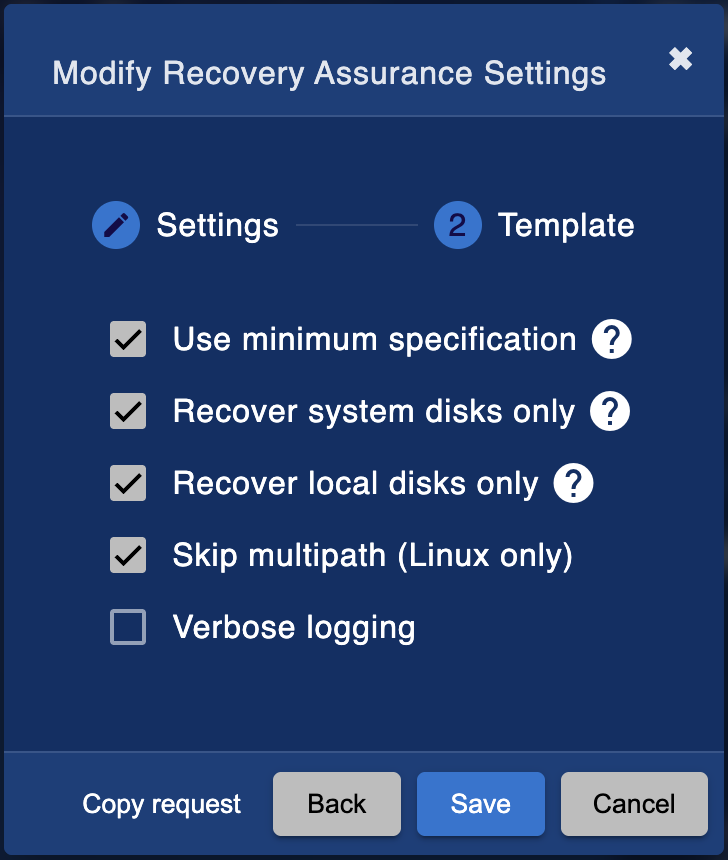
Configure recovery template options and press save.
-
If you opted for an allowlist, now select your server to view server details and overview.
-
Search and filter for chosen client(s) and select inline actions to allow client.




Recovery assurance is now configured. New backups will now be automatically recovered once your scheduled backup server refresh completes. To test existing backups, simply select a client and add an existing backup to the queue.

Once a backup has been tested, you can select to see details
